AI Art for Beginners: Create Stunning Images in Minutes
New to AI art? This beginner-friendly guide covers everything from choosing the right tool to creating your first masterpiece. No artistic skill required.
AI Art for Beginners: Create Stunning Images in Minutes
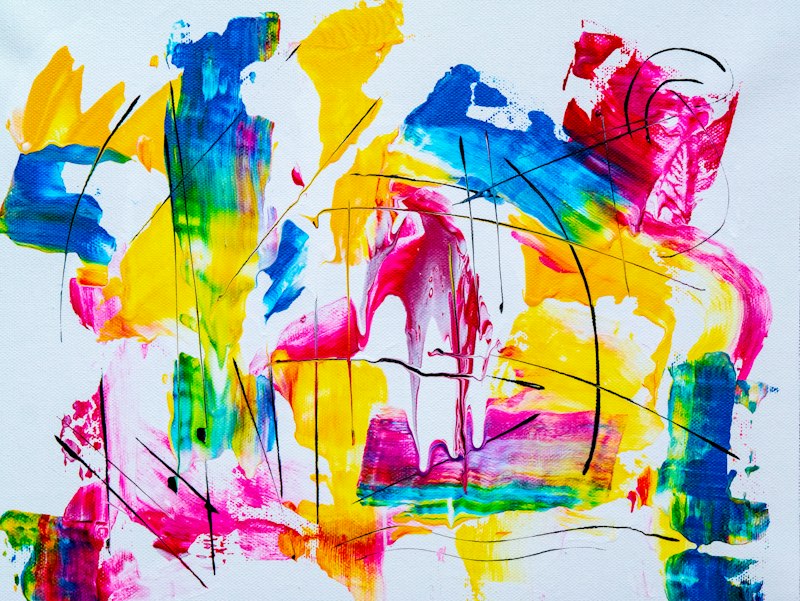
Let me tell you something that would have sounded completely absurd just five years ago: today, anyone with an internet connection can create professional-quality artwork in under a minute. No paintbrushes. No years of practice. No expensive software. Just a description of what you want, typed into a text box.
This is not a gimmick or a novelty. AI art has fundamentally changed who gets to be a visual creator. And whether you are a business owner who needs graphics, a content creator who wants unique visuals, a hobbyist who has always wanted to make art, or simply someone curious about what all the buzz is about — this guide is your starting point.
I am going to walk you through everything a complete beginner needs to know. What AI art actually is, how the technology works (in plain English), which tool to pick, how to create your first image, and how to start developing real skill at this. By the end, you will have created your first AI artwork and understood exactly how to make more.
---
What Is AI Art, Really?
AI art is visual content — images, illustrations, paintings, designs — created with the help of artificial intelligence. You provide a text description (called a "prompt"), and the AI generates an image based on that description.
When I say "generates," I mean it creates something new. The AI is not browsing Google Images and grabbing photos. It is not copying and pasting from artist portfolios. It is building new images pixel by pixel based on patterns it learned during training.
Think of it this way: if you asked a human artist to paint "a castle floating in the clouds at sunset," they would draw on everything they know about castles, clouds, sunsets, lighting, and composition to create something original. AI art works on a similar principle — except the "knowledge" comes from analyzing millions of images during training rather than years of human experience.
The results range from impressive to genuinely breathtaking. AI can produce:
- Photorealistic images that look like they were taken with a camera
- Digital paintings that look like they took weeks to create
- Illustrations in virtually any style imaginable
- Concept art worthy of a video game or movie
- Abstract art that evokes real emotion
- Logos, patterns, and design elements for practical use
And all of this happens in seconds to minutes, not hours to days.
---
How Does AI Art Work? A Simple Explanation
You do not need to understand the technical details to use AI art tools effectively. But having a basic mental model helps you write better prompts and understand why the AI does what it does.
The Training Phase
Before you ever type a prompt, the AI went through an extensive training process. It analyzed millions of images along with their text descriptions. Through this process, it learned associations:
- What "sunset" looks like visually
- What "oil painting" looks like as a style
- What "dramatic lighting" means in practice
- How different objects relate to each other spatially
- What makes a composition feel balanced or dynamic
Think of this like a student studying millions of flashcards. After enough study, the student develops an intuition for visual concepts even though they have never created an original image.
The Diffusion Process
Most modern AI art tools (MidJourney, DALL-E, Stable Diffusion) use a technique called diffusion. Here is the simplified version:
1. The AI starts with pure visual noise — imagine a TV screen full of static
2. Step by step, guided by your text prompt, it removes noise and adds structure
3. Each step makes the image slightly more coherent and detailed
4. After many steps (usually 20-50), the noise has been transformed into a clear image
It is like a sculptor starting with a rough block of marble. Each pass of the chisel removes material and reveals more of the final form. The text prompt acts as the sculptor's vision — guiding what gets removed and what gets kept.
Why This Matters for You
Understanding diffusion helps explain a few things:
- Why the same prompt produces different images each time — The starting noise is random, so the "path" from noise to image differs
- Why more specific prompts give better results — More guidance means the AI has clearer direction for its noise removal
- Why AI sometimes produces odd artifacts — The diffusion process is not perfect and can occasionally converge on strange patterns
---
Choosing Your First AI Art Tool
There are several AI art tools available, and picking the right one as a beginner matters. Here is an honest comparison of the major options:
MidJourney
- Best for: Stunning aesthetic quality, artistic images, concept art
- Price: Starting at $10/month
- Ease of use: Moderate (operates through Discord or web interface)
- Quality: Consistently excellent, often described as "default beautiful"
- Drawback: No free tier, Discord can feel unusual for new users
DALL-E 3 (via ChatGPT)
- Best for: Ease of use, precise prompt following, text in images
- Price: Free tier available, ChatGPT Plus at $20/month for more
- Ease of use: Very easy (just type in ChatGPT)
- Quality: Very good, especially for following specific instructions
- Drawback: Fewer artistic controls than MidJourney
Stable Diffusion
- Best for: Maximum control, customization, running locally
- Price: Free (open source)
- Ease of use: Harder (requires setup, some technical knowledge)
- Quality: Excellent with the right settings and models
- Drawback: Steepest learning curve, needs decent hardware for local use
Leonardo AI
- Best for: Beginners who want good quality with a free tier
- Price: Free tier with daily credits, paid plans available
- Ease of use: Easy (web-based interface)
- Quality: Good, with multiple model options
- Drawback: Less consistent than MidJourney, paid features locked
Adobe Firefly
- Best for: Designers already using Adobe products
- Price: Included with some Adobe subscriptions
- Ease of use: Easy, integrates with Photoshop and other Adobe tools
- Quality: Good, trained specifically on licensed content
- Drawback: More conservative outputs, fewer creative risks
My Recommendation for Beginners
Start with DALL-E 3 through ChatGPT. Here is why:
- The free tier lets you experiment without spending money
- The conversational interface is the most beginner-friendly
- You can iterate through natural dialogue ("make it warmer," "add more detail to the background")
- The quality is more than good enough for learning
Once you are comfortable with the basics and want to explore more artistic directions, try MidJourney. The combination of both tools covers almost any creative need.
---
Creating Your First AI Image: Step by Step
Let us do this together. Follow these steps and you will have your first AI artwork in less than five minutes.
Step 1: Open Your Tool
For this tutorial, we will use ChatGPT (free tier works fine).
- Go to chat.openai.com
- Sign in or create an account
- Start a new conversation
Step 2: Write a Simple Prompt
Do not overthink this. Type something descriptive and interesting:
"Create an image of a cozy cabin in a snowy forest at twilight. Warm golden light glows from the windows. Smoke rises from the chimney. Fresh snow covers the ground and the pine trees. The style should be like a detailed oil painting."
Step 3: Generate and Observe
Press send and wait. In about 15-30 seconds, you will see your image appear. Take a moment to really look at it. Notice:
- What did the AI get right?
- What surprised you?
- What would you change?
Step 4: Iterate and Refine
Now try a follow-up:
"I love the overall mood. Can you make the cabin smaller and add a frozen lake in the foreground reflecting the twilight sky?"
See how the image evolves. This iterative process is central to AI art.
Step 5: Try a Different Style
Using the same subject, try a completely different style:
"Now create the same cabin scene but as a minimalist Japanese ink wash painting with lots of white space."
Compare the two. Same subject, completely different art. This is when AI art starts to feel genuinely exciting.
---
Understanding Art Styles for Better Prompts
Ready to master AI?
Our Complete AI Bootcamp covers prompt engineering, ChatGPT, MidJourney, vibe coding, AI agents and more — with 110+ video lessons and 2,000+ prompts.
One of the fastest ways to improve your AI art is to expand your vocabulary of art styles. When you can name a style, the AI can produce it. Here are the most important categories:
Photorealistic Styles
These aim to look like real photographs:
- Portrait photography — Focuses on a person, typically with blurred background
- Landscape photography — Scenic views, often with dramatic light
- Macro photography — Extreme close-ups showing tiny details
- Street photography — Candid, urban scenes
- Aerial/drone photography — Shot from above
- Film photography — Slight grain, warm tones, vintage feel
Prompt tip: Add specific camera details like "shot on Canon 5D Mark IV, 85mm f/1.4 lens, shallow depth of field" for more authentic photorealistic results.
Traditional Art Styles
These mimic physical art mediums:
- Oil painting — Rich colors, visible brushstrokes, classical feel
- Watercolor — Soft, flowing, translucent colors that bleed into each other
- Acrylic painting — Bold, vibrant, modern
- Gouache — Flat, opaque, often used in illustration
- Pastel — Soft, chalky, gentle colors
- Charcoal drawing — High contrast, dramatic, black and white
- Pencil sketch — Lines and shading, raw and artistic
- Ink drawing — Clean lines, often black and white
- Ink wash — Fluid, atmospheric, East Asian inspired
Digital Art Styles
These are native to digital creation:
- Concept art — Professional pre-production art for games/films
- Digital painting — Like traditional painting but digitally rendered
- Vector illustration — Clean, scalable, flat shapes
- Pixel art — Retro gaming aesthetic with visible pixels
- 3D render — Three-dimensional, often with realistic lighting
- Low poly — Geometric 3D with visible facets
- Isometric — 3D perspective from a fixed angle
- Cel shading — 3D with cartoon-like flat coloring
Illustration Styles
- Children's book illustration — Warm, friendly, storytelling
- Editorial illustration — Conceptual, often metaphorical
- Botanical illustration — Detailed, scientific, nature-focused
- Fashion illustration — Stylized figures, focus on clothing
- Architectural illustration — Detailed building renderings
- Comic book art — Bold lines, dynamic poses, vivid colors
- Manga/Anime — Japanese-influenced style with distinctive character features
Stylistic Movements
Referencing art movements gives DALL-E and MidJourney very specific visual targets:
- Impressionism — Soft, light-focused, visible brushstrokes (think Monet)
- Art Nouveau — Flowing organic lines, decorative (think Mucha)
- Art Deco — Geometric, glamorous, bold (think 1920s)
- Surrealism — Dreamlike, unexpected (think Dalí)
- Pop Art — Bold colors, commercial imagery (think Warhol)
- Minimalism — Stripped back, essential elements only
- Romanticism — Dramatic, emotional, nature-focused
- Baroque — Ornate, dramatic, rich detail
---
Prompt Writing Basics: The Foundation
Good prompts share certain qualities regardless of which tool you use. Here are the fundamentals:
The Core Elements
Every effective prompt should include at least these three things:
1. Subject — What is in the image
2. Style — How the image looks
3. Mood/Atmosphere — How the image feels
Example: "A lone lighthouse on a rocky cliff (subject), dramatic oil painting style (style), during a violent storm with crashing waves (mood)."
Adding Detail Layers
Once you have the basics, add more layers for better results:
- Lighting — "Golden hour sunlight," "soft overcast light," "dramatic side lighting"
- Color palette — "Warm earth tones," "cool blues and grays," "vibrant and saturated"
- Composition — "Wide shot," "close-up," "overhead view," "centered"
- Environment — Context and setting details
- Texture — "Rough stone," "smooth glass," "soft fabric"
The 20-40 Word Sweet Spot
Through experimentation, I have found that prompts between 20-40 words tend to produce the best results for beginners. Shorter prompts leave too much up to the AI's interpretation. Longer prompts can overwhelm the model and cause it to ignore details.
Too short: "A cat" (you will get something generic)
Sweet spot: "A fluffy orange tabby cat sleeping on a stack of old books in a sunlit library, warm tones, soft focus, cozy atmosphere, detailed oil painting style"
Too long: When your prompt becomes a full paragraph with every possible detail specified, the AI often latches onto some elements and ignores others.
Five Prompts to Practice With
Try these to build your skills:
1. "A tranquil Japanese garden with a wooden bridge over a koi pond, cherry blossoms falling, soft morning mist, watercolor painting style with gentle pastel colors"
2. "Close-up portrait of a wise old owl perched on a mossy branch, piercing golden eyes, dark forest background with bokeh light, photorealistic wildlife photography"
3. "A futuristic city skyline at night, neon lights reflecting off wet streets, flying vehicles in the distance, cyberpunk aesthetic, cinematic wide shot"
4. "A rustic kitchen table set for breakfast, fresh bread, jam, butter, a steaming cup of tea, morning light from a nearby window, still life photography, warm and inviting"
5. "An astronaut standing alone on an alien planet, looking at two moons in a purple sky, vast desert landscape stretching to the horizon, science fiction concept art, sense of wonder and solitude"
Generate each one. Study the results. Then modify them — change one element at a time and observe how the image changes. This is the fastest path to developing prompt intuition.
---
Common Styles and How to Achieve Them
Let me give you specific prompt formulas for the most popular AI art styles:
Photorealistic
Formula: [Subject] + [Camera details] + [Lighting] + "photorealistic, professional photography"
"A cup of steaming coffee on a wooden table by a rain-streaked window, shot on Canon EOS R5, 50mm f/1.2 lens, soft natural side lighting, shallow depth of field, photorealistic, editorial food photography"
Anime/Manga
Formula: [Subject] + [Action/Expression] + "anime style" + [Specific anime reference if desired]
"A young warrior girl with silver hair and blue eyes, standing on a rooftop overlooking a neon-lit city at night, wind blowing her cloak, anime style, detailed, vibrant colors, dynamic composition"
Oil Painting
Formula: [Subject] + "oil painting" + [Art period reference] + [Texture details]
"A still life arrangement of autumn fruits and flowers on a dark tablecloth, classical oil painting style, visible brushstrokes, rich warm colors, dramatic chiaroscuro lighting, reminiscent of Dutch Golden Age masters"
Watercolor
Formula: [Subject] + "watercolor painting" + "soft edges" + [Color mood]
"A charming European village street with flower boxes in the windows and a bicycle leaning against a wall, loose watercolor painting style, soft bleeding edges, gentle washes of warm colors, white paper showing through"
3D Render
Formula: [Subject] + "3D render" + [Rendering style] + [Lighting type]
"A cute robot character watering plants in a tiny greenhouse, 3D render, Pixar-style, soft studio lighting, pastel color palette, adorable and heartwarming, high detail"
Minimalist/Flat Design
Formula: [Subject] + "minimalist" + "flat design" + [Limited color palette]
"A mountain landscape with a lake and pine trees, minimalist flat design illustration, limited color palette of three blue tones and white, clean geometric shapes, modern poster style"
---
Ethical Considerations: What You Should Know
AI art has generated real debates about ethics, and as a beginner, you should be aware of the key issues:
The Artist Impact Question
AI art tools were trained on existing artwork and photographs. Some artists feel their work was used without consent to train these systems. This is a legitimate concern, and the legal and ethical frameworks around AI training data are still being established.
What this means for you: Be respectful of the debate. Do not use AI art to deliberately replicate a specific living artist's style for commercial purposes. And consider supporting human artists alongside your use of AI tools — they are complementary, not competing.
Transparency
If you use AI-generated images in a professional context, being transparent about it is increasingly considered best practice. Many platforms and publications now expect disclosure when images are AI-generated.
What this means for you: Do not claim AI-generated images as traditional artwork. A simple "Created with AI" note is sufficient and maintains trust with your audience.
Deepfakes and Misuse
AI image tools can potentially be used to create misleading or harmful images. Most tools have safeguards against this, but the responsibility ultimately falls on the user.
What this means for you: Use AI art for creative, constructive purposes. Do not create images designed to deceive or harm.
---
Commercial Usage Rights
This is a practical concern for many beginners: can you actually use the images you create?
General Guidelines by Platform
- MidJourney — All paid plans include commercial usage rights. You can use images for business, social media, products, etc.
- DALL-E / ChatGPT — OpenAI grants users rights to the images they create, including commercial use.
- Stable Diffusion — Since it is open source, images you generate are generally yours to use, though this can depend on the specific model.
- Leonardo AI — Paid plans include commercial rights. Check free tier limitations.
Important Caveats
- Always read the current Terms of Service for your specific tool
- If your image closely resembles existing copyrighted work, you could still face issues
- Some industries (publishing, advertising) may have specific expectations about AI content disclosure
- The legal landscape around AI-generated content is still evolving
Practical advice: For personal projects, social media, and most business use cases, you are generally safe using AI-generated images from major platforms with paid subscriptions. For high-stakes commercial applications (advertising campaigns, product packaging), consult the platform's current terms and consider legal advice.
---
Your 7-Day AI Art Challenge
Knowledge without practice is just theory. Here is a structured challenge to build your skills over one week:
Day 1: Exploration
Generate 5 images using the practice prompts I provided. Do not modify them — just observe how the AI interprets them.
Day 2: Style Switching
Pick one subject (like "a lighthouse") and generate it in 5 different styles: photorealistic, watercolor, pixel art, anime, and oil painting.
Day 3: Lighting Mastery
Create the same scene with 5 different lighting conditions: golden hour, blue hour, dramatic storm, soft overcast, and moonlight. Notice how much lighting changes the mood.
Day 4: Composition
Generate variations of the same scene from different angles: wide shot, close-up, aerial view, eye level, and worm's eye view.
Day 5: Iteration
Pick your favorite image from the week. Spend the entire day refining it through iteration. Try at least 10 variations.
Day 6: Practical Application
Create something you will actually use: a social media header, a blog image, a phone wallpaper, or a gift for a friend.
Day 7: Original Vision
Come up with a completely original scene from your imagination. Something that has never existed. Bring it to life through AI art.
---
What Comes Next
You now have a solid foundation in AI art. You understand what it is, how it works, which tools to use, how to write effective prompts, and how to think about the ethical dimensions. That puts you ahead of the vast majority of people who have casually "tried" AI art.
But this is just the beginning. There is an enormous amount more to explore:
- Advanced prompting techniques like multi-prompts and prompt weighting
- Style references that let you match specific aesthetics
- Inpainting and outpainting for precise image editing
- Consistent characters across multiple images
- Upscaling and post-processing for professional output
- Combining AI art with traditional design tools like Photoshop
If you want structured guidance through all of this, our AI bootcamp covers the complete journey from beginner to confident AI creator. It includes hands-on projects, prompt libraries, and the kind of practical knowledge that only comes from generating thousands of images and learning what works.
But regardless of whether you take a course or learn on your own, the most important thing is to start creating. Open your tool of choice right now, type a prompt, and make something. Your first image will not be perfect — and that is exactly how it should be. Every image teaches you something.
The creative tools that used to require years of training and thousands of dollars in software are now available to everyone. What you do with them is up to you.
Go make your first piece of AI art. Then make your second. Then your tenth. That is how artists are made — one image at a time.
Written by Saad A
AI Expert Instructor with experience at Deloitte, PwC, BMO, and Microsoft. Teaching 24,318+ students worldwide.
Ready to master AI?
Our Complete AI Bootcamp covers prompt engineering, ChatGPT, MidJourney, vibe coding, AI agents and more — with 110+ video lessons and 2,000+ prompts.